Most people who give up on posting don't run out of things to say. They run out of time to decide what to say, every single day. Opening an app with nothing planned is the hardest way to post: you have to come up with an idea, write it, find a picture and post it, all in the few minutes you have.
Planning a month at once turns that daily scramble into one focused afternoon. You make the decisions together, write while you're in the flow, and let a schedule do the rest. This guide walks through the whole process for X, Instagram and TikTok, step by step.
Why plan a month at once
Batching works for posts for the same reason it works for anything else: switching between tasks is expensive.
- Fewer decisions. You decide what the month is about once, instead of deciding what today is about thirty times.
- Better posts. When you write several posts in a row, you get into a rhythm, and the third one is usually better than the first.
- A steadier presence. A plan keeps you posting during the busy weeks, which is exactly when posting usually stops.
- Room to react. With the month mostly done, you have time for timely posts when something happens, instead of using every spare minute just to keep up.
A month is a good unit. A week is too short to save much time, and a quarter is too long to stay relevant. Block out three or four hours, put your phone on silent, and work through the steps below in order.
Step 1: Choose a pace you can keep
Start with how often you'll post, because everything else depends on it. The right number is the one you can keep up in your busiest month, not your quietest one. It's far better to post three times a week for a year than every day for three weeks.
A sensible starting point for one person or a small business:
- X: once a day on weekdays. The feed moves fast, so it rewards a steady rhythm.
- Instagram: three or four feed posts or reels a week, with stories in between when you have something to show.
- TikTok: two or three videos a week. Each one takes longer to make, so be realistic.
If that's more than you can manage, cut it down and pick one main platform. One account that posts reliably beats three that post now and then. Write your pace down; you'll use it to count how many posts the month needs.
Step 2: Pick three to five content pillars
Content pillars are the few themes you come back to again and again. They stop you starting from a blank page, and they make your account easier to understand: people follow you for something specific.
For most small accounts, a mix like this works well:
- Teach. Share what you know: tips, how-tos, mistakes to avoid, answers to questions customers ask.
- Show the work. Behind the scenes, how things are made, what a normal day looks like.
- Community. Customer stories, replies, polls and questions, things that invite people in.
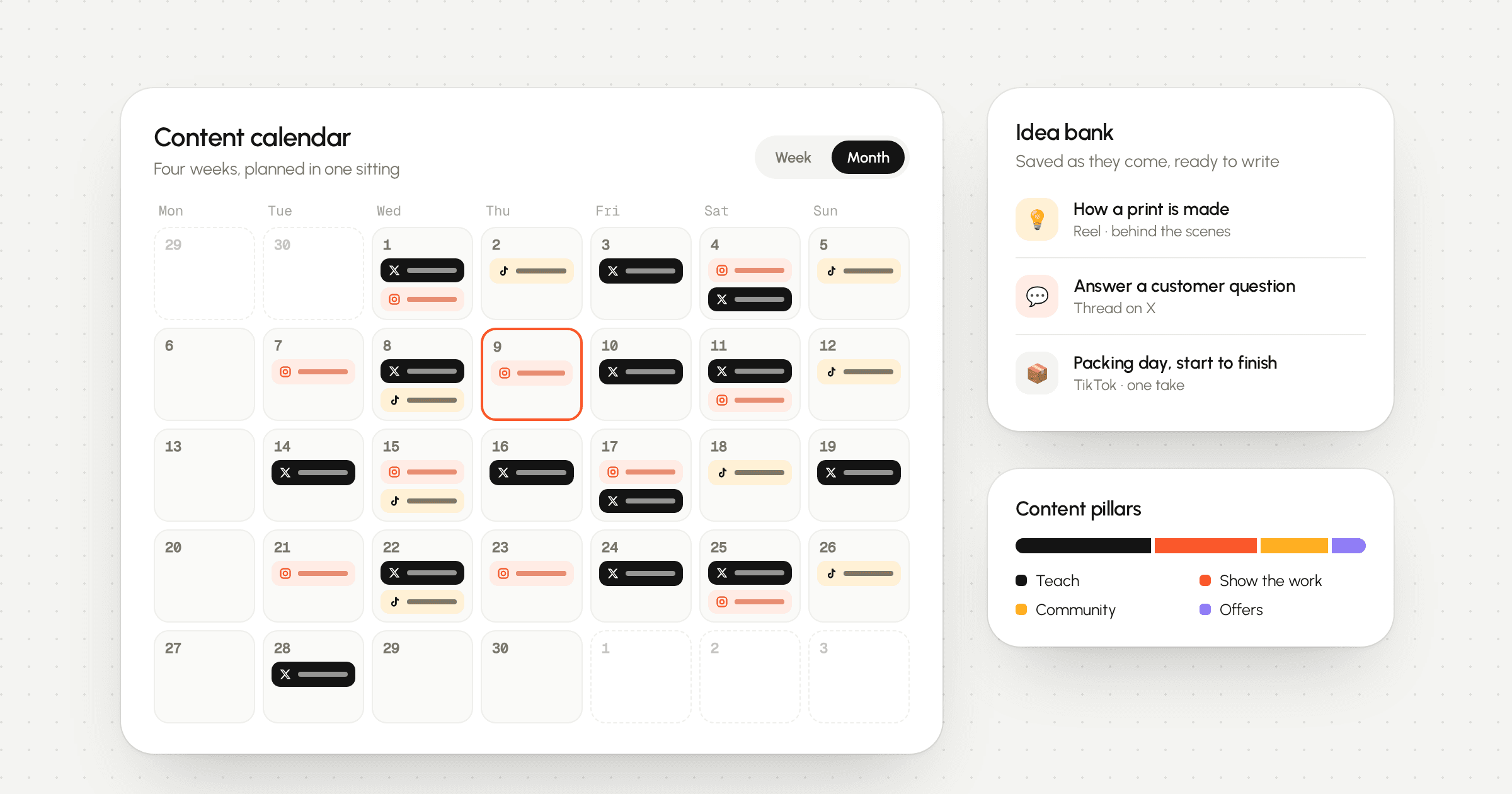
- Offers. Launches, restocks and sales. Keep these as the smallest slice, so the rest of your feed earns the right to sell.
Give each pillar a rough share of the month, for example four teaching posts for every offer. You're not aiming for precision, just a balance you can check at a glance.
Step 3: Fill an idea bank
You need more ideas than slots, so you can drop the weak ones. Spend twenty minutes listing ideas under each pillar without judging them. Good places to look:
- Questions customers or followers have asked you, in DMs, emails or comments.
- Your own posts that did well before. A good idea can be told again from a new angle.
- Things that happened recently: a new product, a mistake, a busy week, a milestone.
- Dates coming up this month that matter to your audience.
- Processes you do without thinking that other people find interesting.
Keep the ideas somewhere you'll see them again. In LarkBeat, the Ideas page holds them with tags, so you can save one the moment it comes to you and turn it into a post later. Over time, the idea bank becomes the reason monthly planning gets faster.
If you get stuck on a platform, a few prompts help. For X, the free thread generator can turn a rough idea into a structure you can then rewrite in your own words.
Step 4: Map ideas onto the calendar
Now give the best ideas a home. Count how many posts the month needs from your pace in step 1, then place ideas on specific days, spreading the pillars so no week is all teaching or all selling.
- Put anything tied to a date on that date first: launches, events, holidays.
- Spread each pillar across the weeks instead of grouping it.
- Leave one or two empty slots a week for timely posts and replies to things that happen.
- Decide which platform each idea is for. Some ideas suit all three; many suit one.
Seeing everything on one calendar matters more than people expect. When X, Instagram and TikTok each live in their own app, it's easy to post the same thing everywhere on the same day, or to leave a whole week empty without noticing.
Step 5: Write everything in one batch
With the calendar set, write the posts back to back. Work through one platform at a time, because each has its own style and switching costs focus.
- Write the first line of every post first. The opening decides whether anyone reads the rest, so give it the most attention.
- Then write the body of each post, one after another.
- Gather the pictures and videos each post needs, and note any that still have to be made.
- Finally, read everything once more, out loud if you can, and cut what doesn't earn its place.
If you have a busy month ahead, batch the creation too: film several short videos in one session, or take all the product photos in one afternoon while the light is good.
Step 6: Adapt each post for each platform
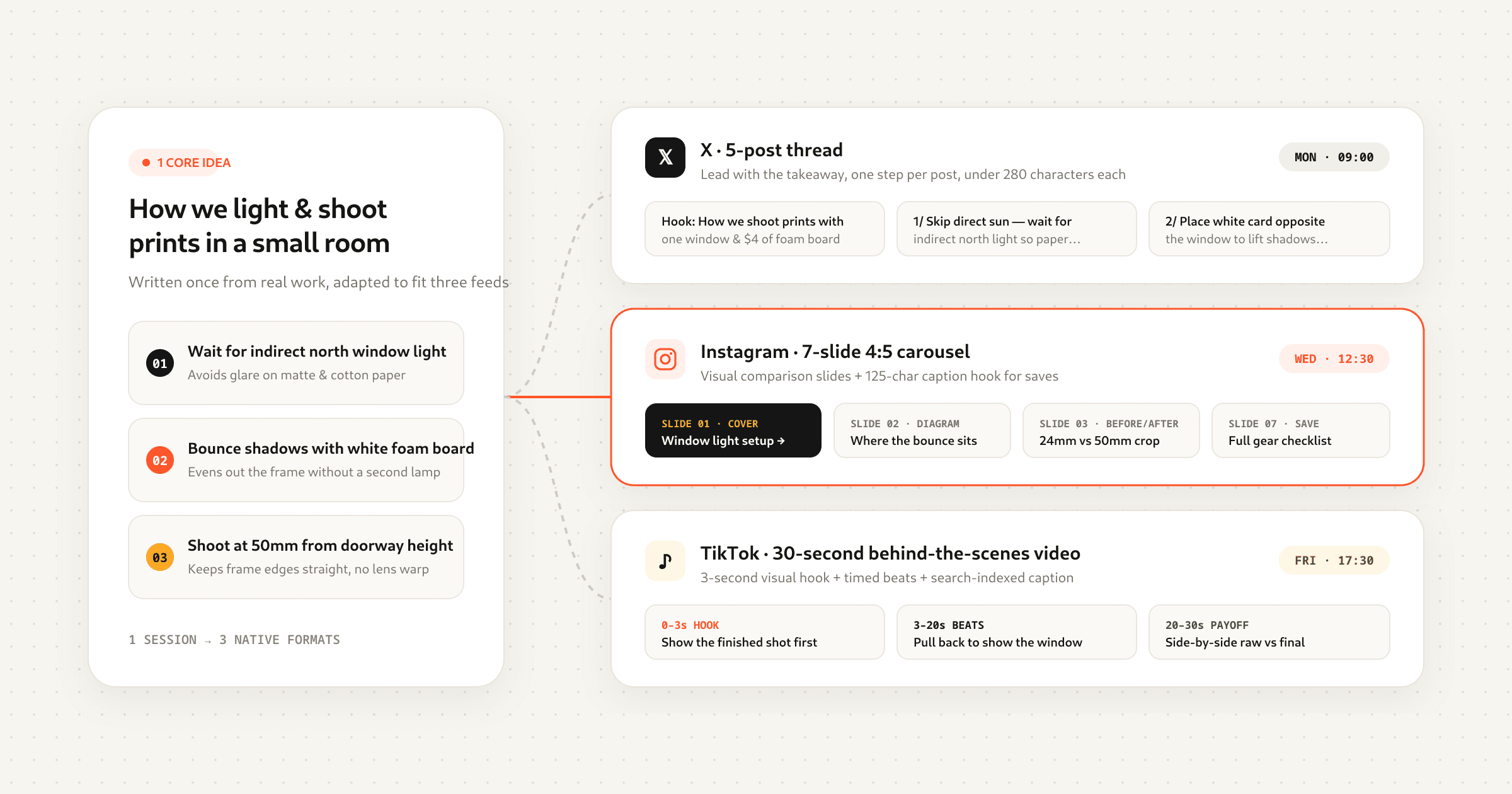
Posting the same words everywhere is tempting, but each platform rewards something different. Keep the idea and change the shape.
X
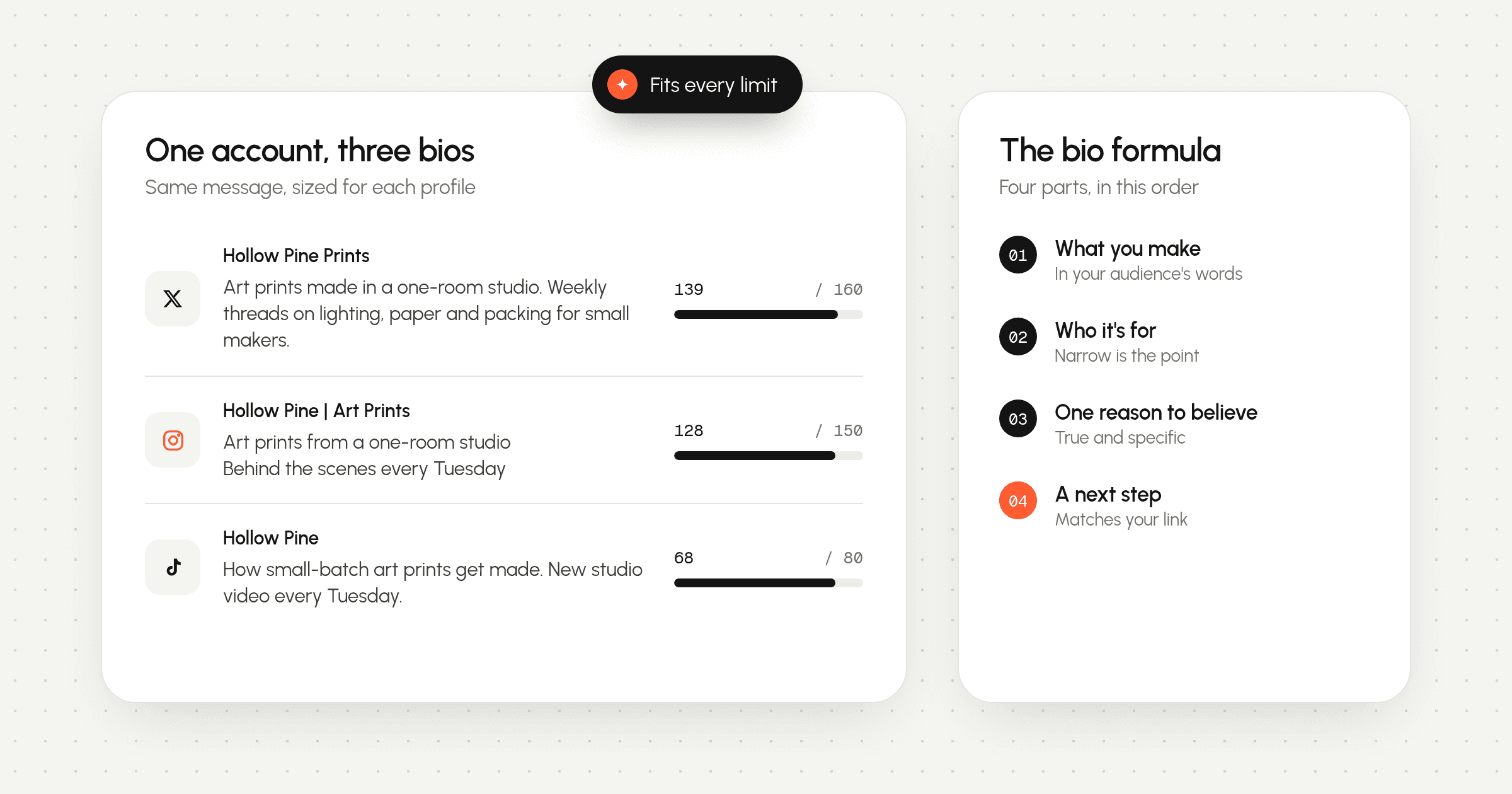
Lead with the point. A post has 280 characters, or more with an X subscription, so say the interesting part first. If an idea needs room, make it a thread: one point per post, with an opening that makes a clear promise.
Instagram is visual first. Teaching posts work well as carousels, one idea per slide. Processes and before-and-afters suit reels. Use stories for the small, in-the-moment things you didn't plan. Remember that Instagram doesn't let apps add songs, so plan to finish those posts in the Instagram app.
TikTok
TikTok shows videos to people who don't follow you yet, so each video has to make sense on its own. Get to the point in the first seconds and show rather than tell. Photo posts are an easy way to repurpose a carousel. If you want a sound from TikTok's library, it has to be added in the TikTok app.
Step 7: Schedule it and leave room
Once the posts are written, schedule them so they go out without you. There are two ways to do it, and most people use both.
- Exact times for anything tied to a date, like a launch or an event.
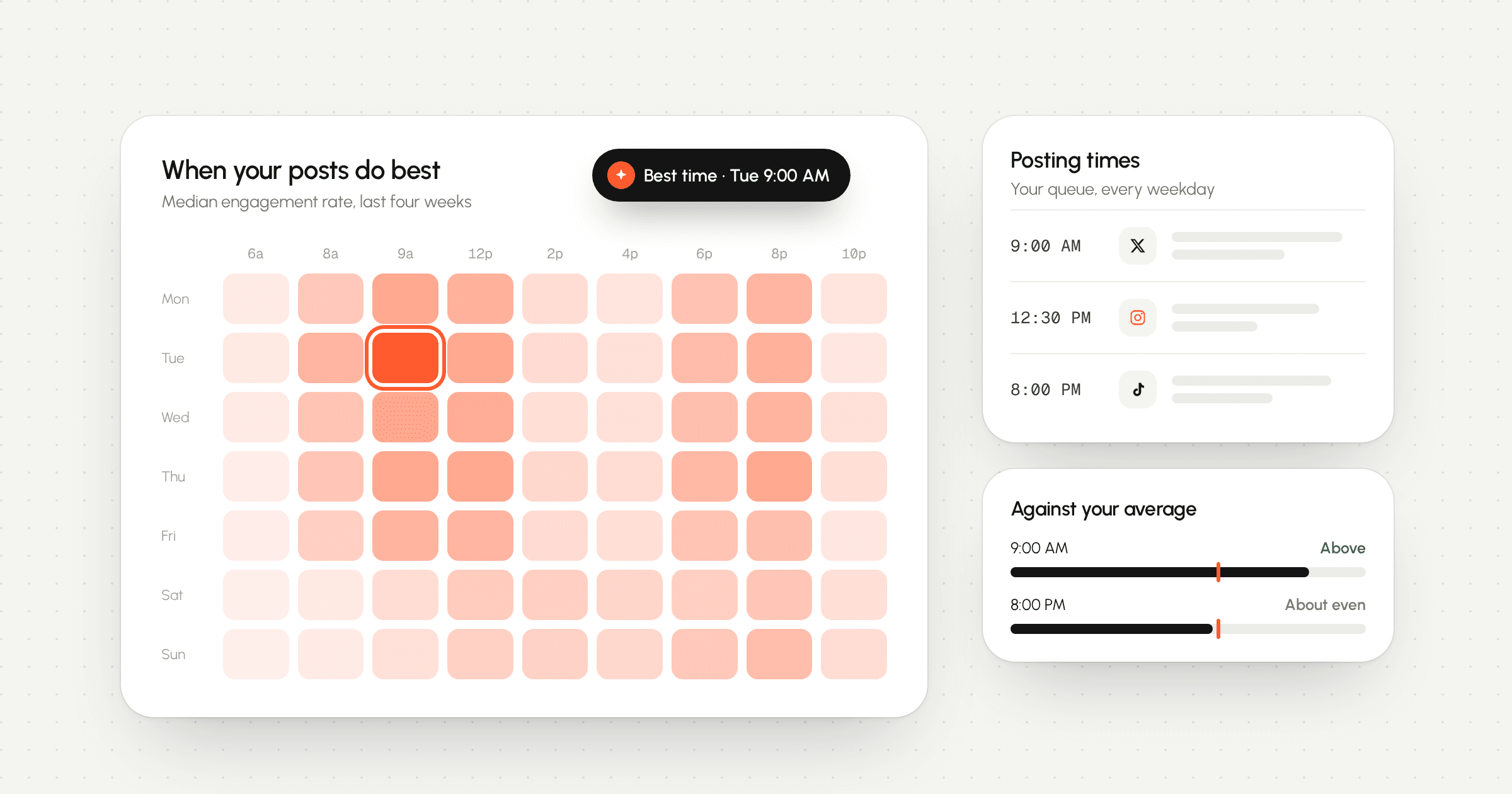
- A queue for everything else. You set your posting times once, for example 9:00 and 17:30 on weekdays, and posts fill the next open slot in order.
A queue is what makes a month manageable. You don't have to pick a time for every post, and when something timely comes up, you can drop it in and let the rest move along. In LarkBeat you can paste a batch of posts at once with bulk scheduling and spread them over the month, and each connected account keeps its own queue. Posts are published from our servers, so they go out on time even with your laptop closed. If you're not sure which times to use, start with the method in how to find the best time to post.
Don't fill every slot. A month that's 80 to 90 percent planned leaves room for the posts you can't predict, which are often the ones people like most.
Step 8: Review at the end of the month
Before you plan the next month, spend half an hour looking back. The goal isn't a report; it's three or four decisions.
- Which pillar did best with the people who saw it? Give it a bigger share next month.
- Which posts beat your usual numbers, and what did they have in common: the format, the opening, the day?
- Which ideas felt like a chore to make? Drop them, even if they did fine.
- Did you keep the pace? If not, plan fewer posts rather than feeling behind all month.
Compare posts against your own average rather than against other accounts. LarkBeat's analytics show each post next to your usual results, which makes the winners easy to spot. Posts that still hold up can be marked as evergreen and used to refill the queue in a quiet month.
A sample week
Here's what one planned week might look like for a small shop posting on all three platforms at a sustainable pace. Notice the gaps: not every platform needs something every day.
| Day | X | TikTok | |
|---|---|---|---|
| Mon | A tip from what you know best | – | – |
| Tue | – | Carousel: how something is made | – |
| Wed | A short thread answering a customer question | – | Behind-the-scenes clip |
| Thu | – | Reel: a before and after | – |
| Fri | Share something you learned this week | Story: a quick poll | – |
| Sat | – | – | A process video, one take |
| Sun | – | – | – |
Sunday is empty on purpose. A day off from posting is fine, and it's a natural moment to add the week's ideas to your idea bank.
Your planning checklist
- Choose a pace for each platform that you can keep in a busy month.
- Pick three to five pillars and give each a rough share.
- List more ideas than you need, then keep the best.
- Place dated posts first, spread the pillars, and leave room each week.
- Write all the openings first, then the posts, one platform at a time.
- Adapt each idea to the platform instead of copying it everywhere.
- Schedule dated posts at exact times and queue the rest.
- Review at the end of the month and adjust the mix.
The first month takes the longest, because you're building the idea bank and the habit at the same time. By the third, most people find the whole thing fits comfortably into an afternoon, and posting stops being something to remember every day.