Every creator and small team eventually hits the same wall: you know you should be active on X, Instagram and TikTok, because each one reaches a different slice of your audience. Yet treating all three as separate full-time jobs is the fastest route to burnout—and copying the exact same post onto all three is the fastest way to get ignored on two of them.
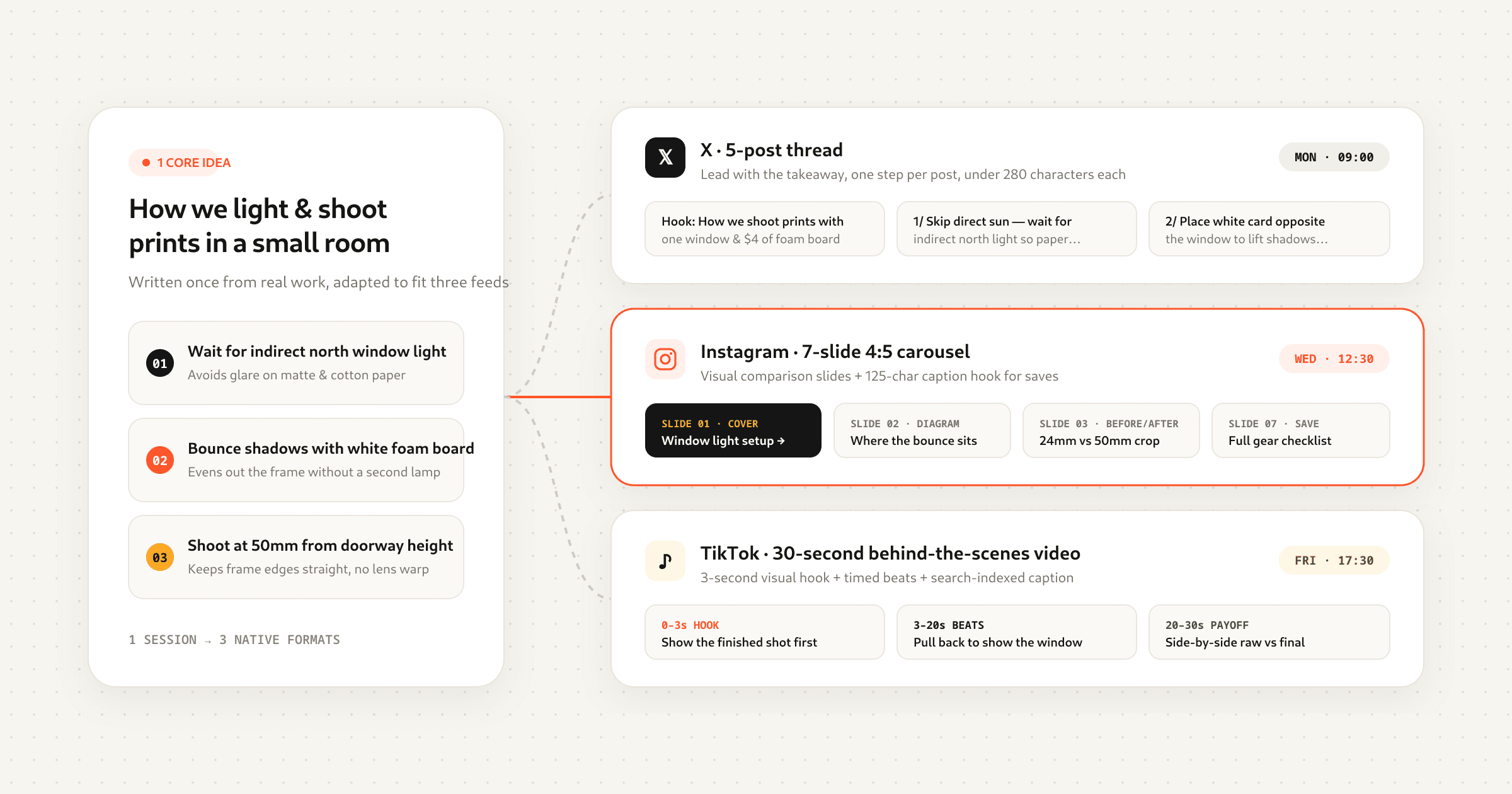
The middle path is native repurposing: starting with one strong idea, then translating its structure, hook, pacing and visual framing so it feels native to each feed. Done well, a single seed idea turns into an X thread, an Instagram carousel, an Instagram Reel and two TikTok formats in under an hour—without anyone feeling like they're reading a cross-post.
This guide walks through the full workflow from seed idea to scheduled posts across X, Instagram and TikTok, with concrete before-and-after examples, safe-zone specs and a repeatable weekly system.
Why blind cross-posting fails (and native repurposing works)
When people say “repurposing doesn't work anymore,” they almost always mean syndication: taking a video with a watermark or a caption written for one app and pasting it everywhere unchanged. Each platform's recommendation engine measures different signals first:
- X rewards reading time, replies and bookmarks. People scroll X to read sharp opinions, compact lists and multi-post stories. An Instagram-style caption stuffed with ten hashtags and “link in bio!” looks out of place immediately.
- Instagram rewards saves, shares to DMs and carousel swipe-through rate. Carousels get a second chance in the feed: if someone scrolls past slide 1 without engaging, Instagram often resurfaces the post later starting on slide 2. Reels live and die on watch time and DM shares.
- TikTok rewards 3-second hold rate, full-watch completion and search keywords. Because the For You feed shows your video to people who have never heard of you, zero context can be assumed. Furthermore, TikTok indexes spoken words, on-screen text and caption keywords for search.
Notice that none of those differences require a new topic. If you figured out how to cut your customer onboarding time in half, or how to brew a cleaner pour-over, or three mistakes people make when pricing freelance work, that core insight is valuable on all three platforms. You only need to change the container.
Step 1: Start with a platform-agnostic seed brief
The mistake most creators make is writing the X thread or filming the TikTok first, and only thinking about the other platforms afterwards. By then, platform-specific habits have already crept in. Instead, spend five minutes writing a four-line seed brief before you open any composer:
- The one-sentence promise: What specific problem does this solve, or what surprising claim does it prove?
- The proof or story: One real number, before-and-after example, or personal mistake that makes the claim believable.
- Three to five core beats: The actual steps, lessons or comparisons—written as plain bullet points, one sentence each.
- The single takeaway action: What the reader or viewer can try in the next ten minutes.
Once those four pieces exist on paper (or in your LarkBeat Ideas bank), you have all the raw material required for every platform. Now you translate, rather than invent from scratch.
Step 2: Match the idea to the right format on each platform
Not every idea should become a talking-head video, and not every idea belongs in a ten-post thread. Use the translation matrix below to pick the natural container on X, Instagram and TikTok based on the shape of your seed brief:
| Seed Idea Type | X (Twitter) Format | Instagram Format | TikTok Format |
|---|---|---|---|
| Step-by-step tutorial or framework | 5–8 post thread with numbered takeaways + summary final post | 7-slide educational carousel (4:5 portrait) with save prompt | 45-second talking-head or screen-recorded walkthrough with pattern interrupts |
| Contrarian opinion or myth-buster | Single punchy post (<240 chars) or 2-post hook + proof | Reel with bold on-screen hook + long story caption below the fold | 15–25s green-screen or stitch-style reaction leading with the myth |
| Behind-the-scenes process or build log | Photo/video post + 3 bullet observations on what went wrong/right | Seamless panoramic carousel or 20s B-roll Reel with text overlay | Fast-cut voiceover process video + search-optimized SEO caption |
| Case study or before-and-after result | Thread breaking down the exact metrics, timeline, and 3 levers pulled | Before/After split cover slide + 5 slides unpacking each change | 30s hook-first breakdown showing the result in frame 1, then the steps |
| Quick checklist or tool roundup | Single structured list post with clean line breaks (bookmark bait) | Single-graphic checklist or 5-slide swipeable reference deck | Photo Mode carousel (4–6 slides) paired with trending background audio |
You don't have to produce every cell in a single day. Many creators publish the written formats (X post/thread + Instagram carousel) early in the week, watch which points spark replies or saves, and use the winning angle as the script for their short-form video two days later.
Step 3: Adapt the seed brief for X (hooks, threads & single posts)
On X, your opening line competes with breaking news, jokes and screenshots in a fast-moving text feed. Good X writing strips out throat-clearing introductions (“In today's thread I want to talk about…”) and drops the reader straight into the tension or result.
Rules that consistently hold attention on X
- Front-load the concrete detail in post 1. Replace vague claims (“How to write better emails”) with specific stakes (“We rewrote 4 cold emails and reply rates went from 2.1% to 11.4%. Here are the exact before/after lines:”).
- One idea per post inside a thread. Each post in a thread should make sense if someone screenshots or quotes it on its own. Keep paragraphs to one or two lines with clean white space between them.
- Use the final post as a summary bookmark. Recap the 3–5 points in a compact list at the end of the thread so readers have a single post worth bookmarking.
If you want to draft the structure quickly from your seed brief, paste your notes into the free X Thread Generator to get a hook-first multi-post outline, then try a few different opening lines before you commit to one.
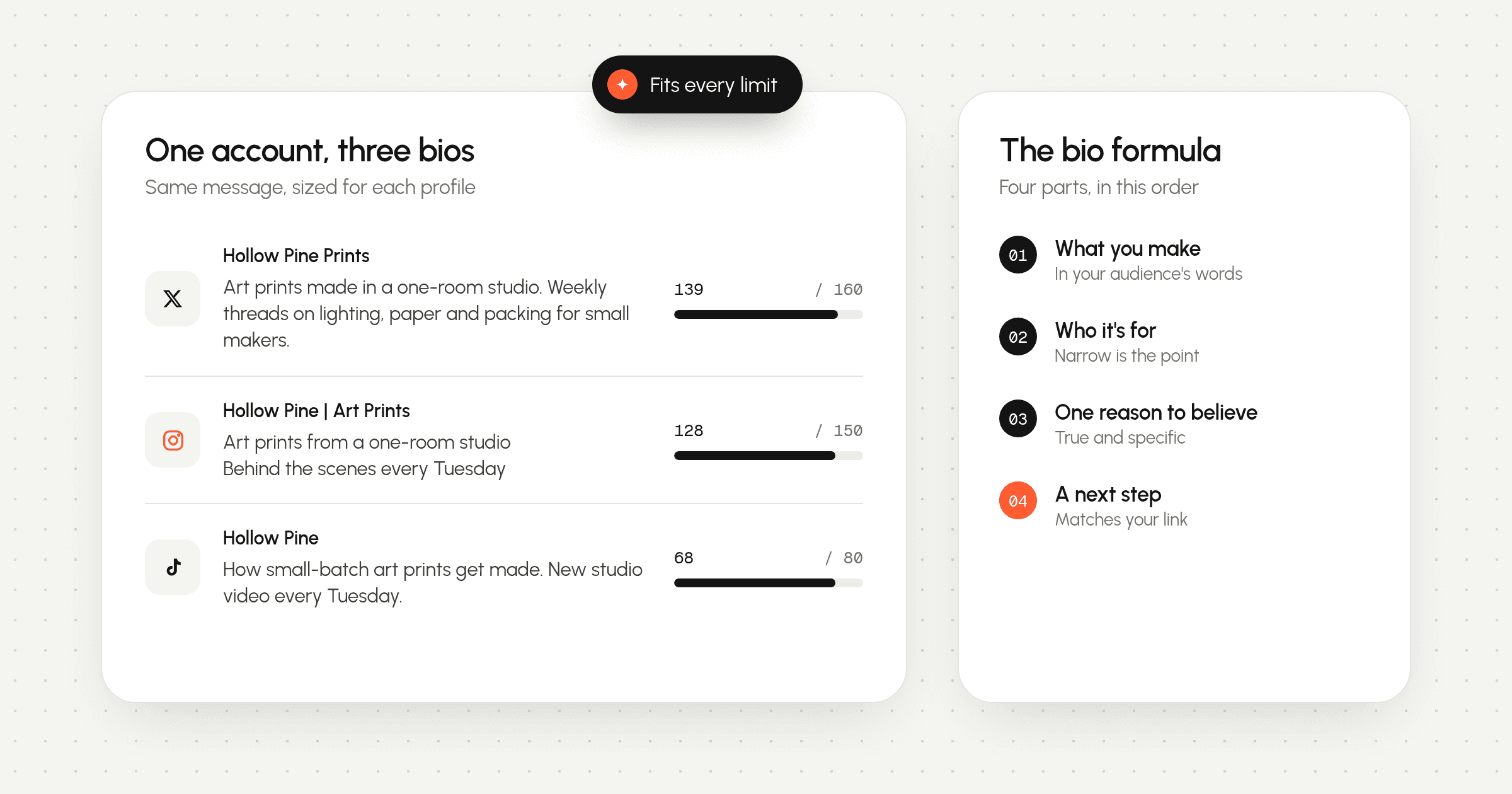
Step 4: Adapt for Instagram (carousels, Reels & the 125-character fold)
Instagram is two platforms under one roof: a visual library where people save carousels to reference later, and an entertainment feed where people share Reels with friends in DMs. Your seed brief can feed both.
Turning an X thread into a high-save Instagram carousel
An X thread is already broken into numbered beats, which maps almost one-to-one onto a 7-to-10-slide carousel—provided you trim the word count by half on each slide:
- Slide 1 (The Cover): Big 6-to-10-word headline stating the problem or promise, plus a small visual cue or sub-line that creates a curiosity gap for slide 2.
- Slide 2 (The Second-Chance Hook): Because Instagram re-shows unengaged carousels starting on slide 2, make slide 2 strong enough to stand alone—state the core mistake or show the before/after snapshot right away.
- Slides 3–6 (One Beat per Slide): Keep body copy under 25–30 words per slide. Use a bold 5-word header at the top and one short supporting sentence or diagram below.
- Final Slide (The Save & Share CTA): Instead of a generic “Follow for more,” tell the reader why to save the post (“Save this checklist for your next launch week”).
You can map your seed topic into a slide-by-slide plan with our Instagram Carousel Generator. If you're designing a continuous panoramic graphic across slides, drop the wide image into the Instagram Grid & Panorama Splitter to slice it into exact 1080×1350 (4:5) panels with zero quality loss.
Formatting the Instagram caption so the fold works for you
In the main Instagram feed, captions truncate after roughly 125 characters with a …more link. That means your first line has to earn the tap, and your paragraphs below the fold need clean spacing so they don't collapse into a wall of text.
Use the Instagram Caption Generator to draft a first-line hook plus a structured body, then pass it through the Instagram Line Break & Caption Formatter to preview the exact 125-character cutoff and lock in invisible Braille spacing characters that Instagram won't strip on publish.
Step 5: Adapt for TikTok (spoken hooks, scripts, Photo Mode & search SEO)
Translating written posts into TikTok doesn't mean reading your X thread word-for-word into a microphone. Written language uses longer clauses; spoken short-form video needs punchy sentences, visual proof in the first two seconds and a pattern interrupt every five to seven seconds.
The 4-part TikTok script structure
- 0–3s (Spoken + Visual Hook): State the tension in the very first breath while showing the result, prop or screen on camera. Both your voice and the on-screen text banner should reinforce the same hook.
- 3–15s (Context & First Payoff): Deliver your strongest tip or proof point first—don't save the only good part for the end, or viewers will swipe away before they trust you.
- 15–35s (Escalation & Pattern Interrupts): Step through points 2 and 3. Change the camera framing, cut to a B-roll screen recording, or reveal a new text callout every few seconds so the eye stays engaged.
- Final 3–5s (Loop or Specific Question): End swiftly without saying “So yeah, that's all for today!” Either ask a pointed question that invites debate in the comments, or phrase your final sentence so it flows seamlessly back into the first words of the video.
Before you hit record, run your topic through the TikTok Hook Generator to compare curiosity, contrarian and story-opening lines, and use the TikTok Video Script Generator to get a timed beat-by-beat script with B-roll cues and pattern-interrupt notes.
Don't overlook TikTok Photo Mode & Search SEO
If you already made a 7-slide Instagram carousel, you are 90% done with a TikTok Photo Mode post. Export the slides (or re-center them for 9:16), upload them as a swipeable photo post on TikTok, and pair them with a caption written for TikTok Search. Because younger audiences increasingly use TikTok like a search engine, include the natural-language phrase people actually type into the search bar (for example, “how to price freelance design projects”) inside your first two caption lines and on-screen text. Our TikTok Caption & SEO Generator builds search-indexed captions with target keywords and 3–6 focused hashtags automatically.
Step 6: Respect vertical video & carousel safe zones
Nothing gives away a lazy cross-post faster than burned-in captions covered by the TikTok username and music ticker, or a key chart hidden behind the Instagram Reels like/comment button stack on the right edge.
When you edit one vertical video for both TikTok and Instagram Reels, design your text overlays for the strictest intersection of both safe zones:
| Platform & Format | Canvas Size | Top UI Clearance | Bottom UI Clearance | Right UI Clearance | Caption Fold |
|---|---|---|---|---|---|
| TikTok Video / Photo Mode | 9:16 (1080×1920) | 130 px (search & Following bar) | 420 px (handle, caption, sound ticker) | 140 px (avatar, like, comment, bookmark, share) | ~80–100 chars before “…more” |
| Instagram Reels | 9:16 (1080×1920) | 110 px (Reels header & camera icon) | 380 px (author row, caption preview, audio pill) | 120 px (heart, comment, share, menu stack) | ~55 chars in Reels overlay; 125 chars in feed |
| Instagram Feed Carousel | 4:5 (1080×1350) | 60 px (keep headlines clear of top edge) | 80 px (page indicator dots on some views) | 60 px (slide counter badge in top-right) | 125 chars before “…more” fold |
| X Post / Thread Media | 16:9 or 4:5 single image | 40 px | 40 px (timestamp badge on videos) | 40 px | 280 chars before “Show more” on long posts |
Before exporting your final cut or cover frame, drop a screenshot or video into the TikTok & Reels Safe Zone Checker. It overlays the real-world top navigation, right action rail and bottom caption/audio bars on top of your 9:16 media so you can catch clipped subtitles in five seconds.
A complete example: 1 seed idea turned into 4 native posts
To see how the pieces fit together in practice, here is one concrete seed idea—why most product landing pages lose visitors in the first 5 seconds—adapted natively across X, Instagram and TikTok:
- 1. The X Thread (6 posts): Opens with a crisp metric: “We audited 40 indie SaaS landing pages last month. 31 of them made the same mistake above the fold—and fixing it takes 10 minutes. Here are the 3 changes that lifted signups the most:” Each subsequent post breaks down one change (headline specificity, showing the product UI instead of abstract illustrations, and placing social proof next to the button), ending with a 3-bullet recap post for bookmarks.
- 2. The Instagram Carousel (7 slides, 4:5): Slide 1 shows a bold visual headline: “The 5-Second Landing Page Test (3 Fixes That Lift Conversions)”. Slide 2 shows a side-by-side wireframe of a vague hero section vs. a concrete one. Slides 3–6 walk through one visual tweak per slide with 20 words of copy. The caption opens with a 95-character hook above the
…morefold and uses clean line breaks for the deeper checklist below. - 3. The TikTok Talking-Head / Screen Walkthrough (38 seconds): Starts with a green-screen recording over a real landing page in frame 1: “If your website gets traffic but nobody signs up, check these three things in the top six inches of your page.” Points to the headline at 0:04, zooms into the CTA button at 0:14, shows the before-and-after conversion chart at 0:26, and ends with: “Drop your URL in the comments if you want me to roast your hero section next.”
- 4. The Instagram Reel (Reuse the 38s cut): Because the subtitles were positioned in the middle safe zone (clear of the bottom 420px and right 140px), the exact master video file works cleanly on Reels, paired with a slightly shorter Reels caption that prompts viewers to DM the video to a founder friend.
Step 7: Stagger your schedule so followers on multiple apps never get bored
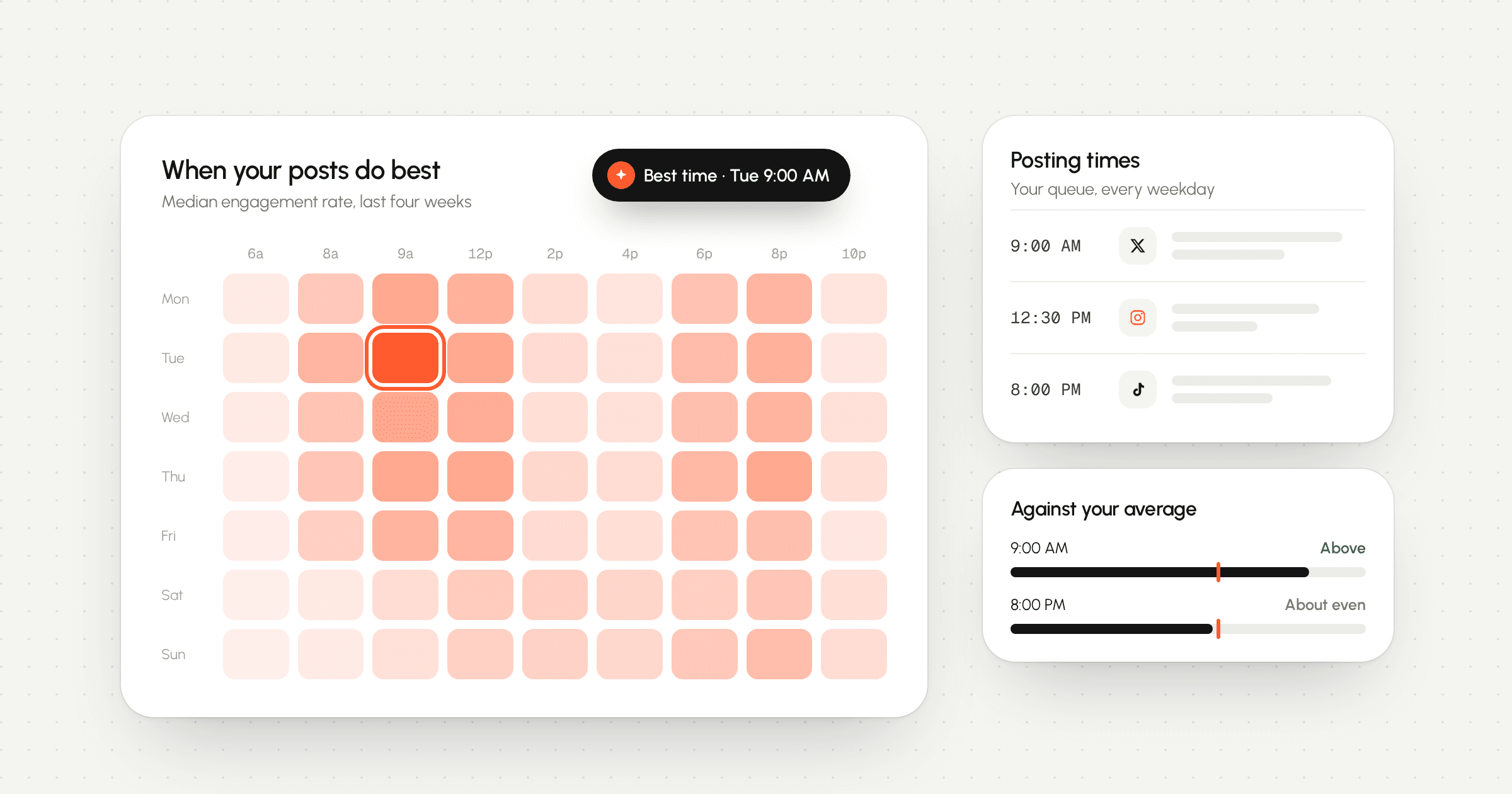
Even when you adapt the format natively, publishing all four versions at 9:00 AM on Tuesday feels repetitive to the 10–15% of your audience who follow you on more than one platform. A staggered waterfall schedule solves this effortlessly and stretches one idea across an entire week:
- Day 1 (Monday): Publish the X post or thread. Text is the fastest format to write and gives you immediate feedback on which point resonates most in replies.
- Day 3 (Wednesday): Publish the Instagram carousel (and optional TikTok Photo Mode deck), refining the headline with whichever angle got the best reaction on X.
- Day 5 (Friday): Publish the TikTok video using the proven hook, and schedule the Instagram Reel for Saturday or the following Monday.
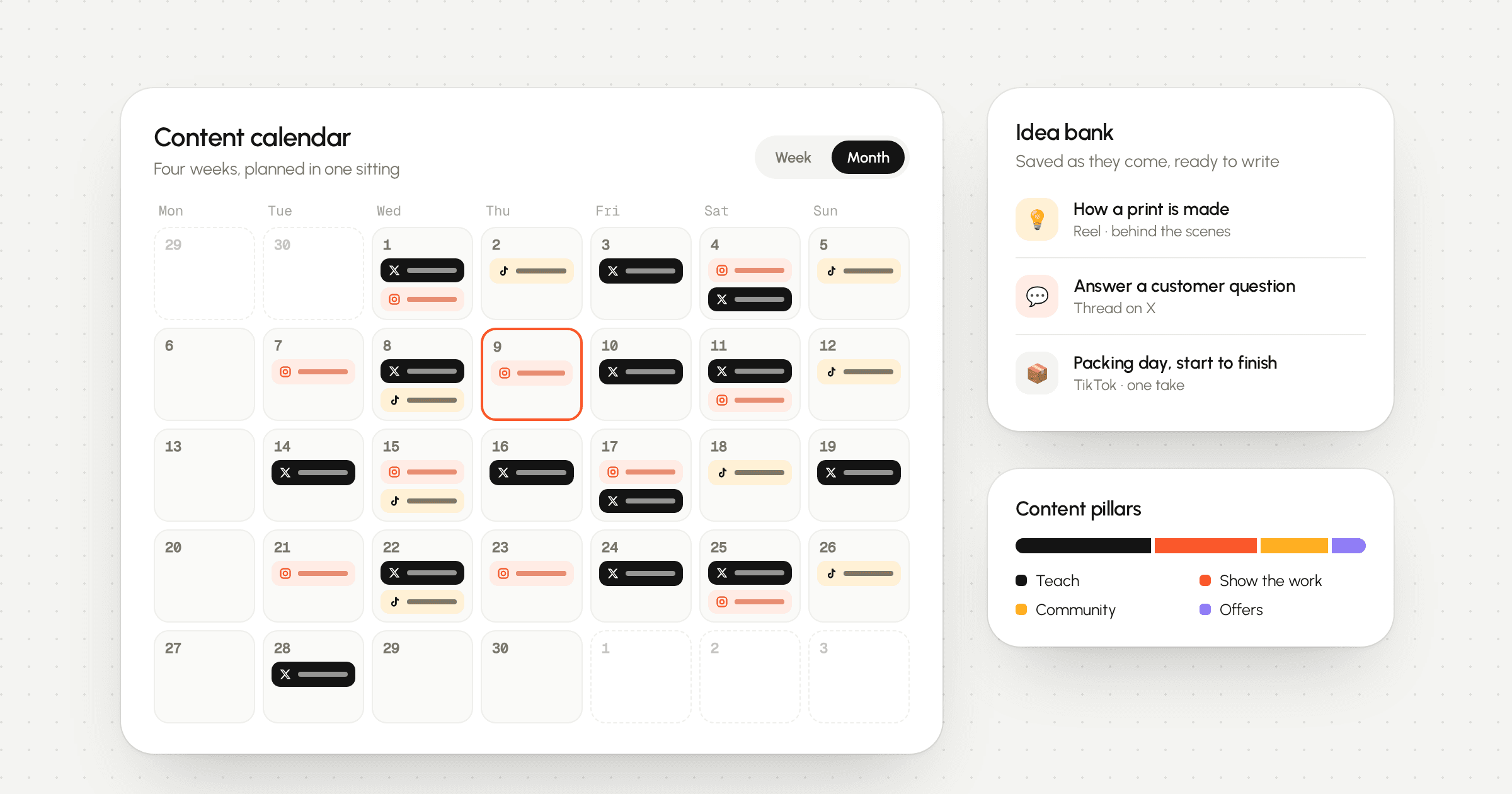
In LarkBeat, you can drag all four posts onto the calendar in one sitting, assign each to its connected account's queue, and see the whole week at a glance so no two platforms echo the same topic on the same day. Combine that with our guide on planning a month of content in one afternoon and finding your best time to post, and five strong seed ideas are enough to fill a month of native posts across X, Instagram and TikTok.
Your repurposing checklist
- Write a 4-line platform-agnostic seed brief first (promise, proof, 3–5 beats, one takeaway).
- Pick the native container for each platform using the format translation matrix.
- Draft the X post or thread first to test the hook with minimal production overhead.
- Convert the numbered beats into a 4:5 Instagram carousel with under 30 words per slide and a strong Slide 2 hook.
- Keep your Instagram caption hook under 125 characters before the fold and protect blank lines with clean formatting.
- Script the TikTok/Reels video for the ear—lead with visual proof in seconds 0–3 and change framing every 5–7 seconds.
- Verify that all burned-in subtitles clear the bottom 420px and right 140px 9:16 safe zones.
- Stagger the scheduled posts across 4–7 days so cross-platform followers experience each piece fresh.